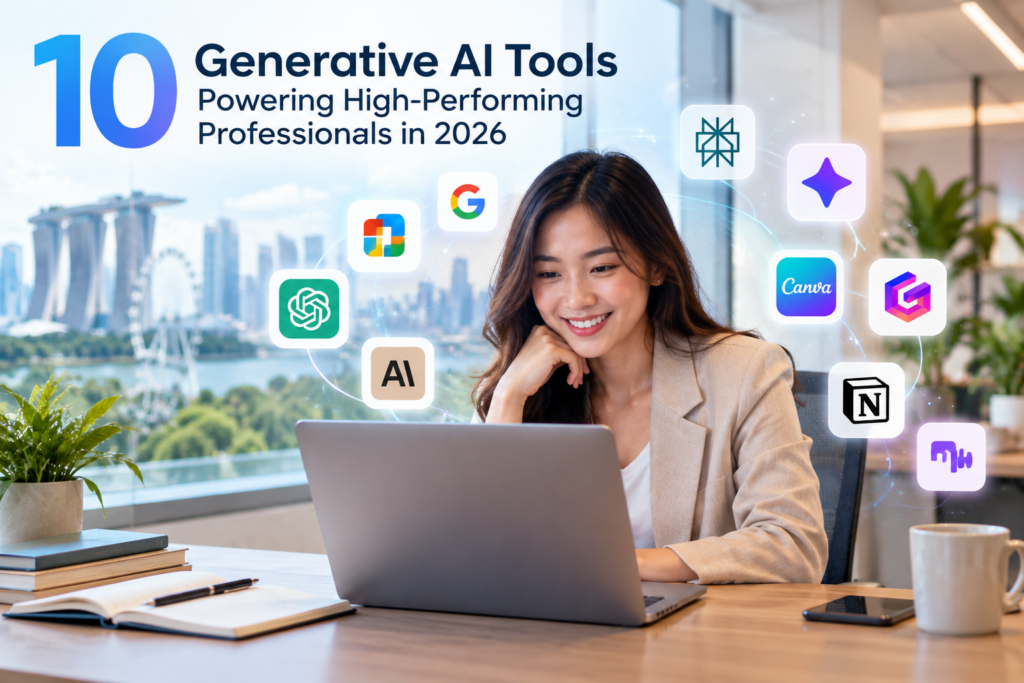
Generative AI is no longer limited to drafting emails or generating ideas. Professionals are increasingly using AI to research information, analyse data, prepare presentations, create marketing content, manage organisational knowledge and improve everyday workplace productivity.
Singapore businesses are also beginning to see measurable results from AI adoption.
According to the Ministry of Manpower’s inaugural Artificial Intelligence Adoption Among Firms report, released on 30 April 2026, 28.5% of private-sector firms with at least 10 employees had started adopting AI. Among firms already using AI, 70.7% reported improvements in worker productivity. MOM summarised the finding simply: “Productivity gains are already evident.”
For professionals, the question is therefore shifting from:
“Should I use Generative AI?”
to:
“Which Generative AI tool should I use for the task?”
There is no single AI platform that is best at everything. ChatGPT may be suitable for broad knowledge work, Microsoft Copilot for Microsoft 365 workflows, Perplexity for current web research, and Gamma for quickly developing presentations.
Understanding these differences can help professionals build a more effective AI toolkit around the work they actually need to accomplish.
What Are the Best Generative AI Tools for Professionals in 2026?
Here are 10 Generative AI tools professionals can consider for different workplace needs.
Generative AI Tool | Best Used For |
General productivity, research, writing and analysis | |
Word, Excel, PowerPoint, Outlook and Microsoft 365 workflows | |
Google Workspace and multimodal AI assistance | |
Complex documents, structured analysis and knowledge work | |
Current web research and source-backed information | |
Research grounded in selected documents and sources | |
Marketing designs and visual communication | |
AI-assisted presentations and visual documents | |
Organisational knowledge, documentation and workflows | |
Meeting transcription, summaries and follow-up actions |
The right choice depends on the task, your organisation’s technology environment and how AI needs to fit into the existing workflow.
1. ChatGPT: Best All-Round Generative AI Tool for Professionals
Best for: General knowledge work, research, writing, analysis and planning
ChatGPT is a flexible general-purpose AI platform that can support many types of professional work within one environment.
Professionals can use it to investigate topics, draft and summarise documents, analyse files and data, structure reports, brainstorm ideas and work through complex information.
Its Projects feature allows users to organise chats, files, instructions and contextual information around ongoing work. Deep Research can conduct more extensive research and synthesise information from multiple sources into structured outputs with citations.
ChatGPT also includes Work, which is designed for longer, multi-step professional tasks and the creation of finished work products.
Common workplace uses:
- conducting research and synthesising findings
- drafting reports, proposals and business content
- analysing files, data and complex information
- planning projects and developing ideas
Why consider ChatGPT?
Its main strength is versatility. It can serve as a broad AI workspace for professionals who want one platform that supports multiple forms of knowledge work.
2. Microsoft 365 Copilot: Best for Microsoft Office Workflows
Best for: Professionals working extensively in Word, Excel, PowerPoint and Outlook
Microsoft 365 Copilot is particularly relevant to organisations whose employees already spend much of their working day within Microsoft 365.
Copilot capabilities are integrated across applications such as Word, Excel, PowerPoint and Outlook. Depending on the user’s subscription and organisational configuration, it can support document drafting, spreadsheet analysis, presentation development, email summarisation and other productivity tasks.
Microsoft has also continued expanding Copilot’s ability to perform more involved actions within its productivity environment.
Common workplace uses:
- drafting and refining Word documents
- analysing information in Excel
- creating and improving PowerPoint presentations
- summarising email threads and preparing responses
Why consider Microsoft 365 Copilot?
Its key advantage is integration. Organisations already operating heavily within Microsoft 365 can apply AI closer to where employees already perform their daily work.
3. Google Gemini: Best for Google Workspace Users
Best for: Gmail, Docs, Sheets, Slides and Drive workflows
Gemini is Google’s Generative AI platform and is increasingly integrated across Google Workspace.
Google expanded Gemini capabilities across Docs, Sheets, Slides and Drive in 2026. These features can help users create documents, work with spreadsheet information, develop presentations and retrieve relevant information from files and emails.
Common workplace uses:
- drafting and refining Google Docs
- working with information in Sheets
- developing presentation content in Slides
- retrieving information across Drive and other Workspace services
Why consider Gemini?
Its main advantage is integration with Google Workspace. For organisations whose workflows revolve around Gmail, Docs, Sheets, Slides and Drive, Gemini can fit naturally into the existing working environment.
4. Claude: Best for Complex Documents and Knowledge Work
Best for: Long documents, structured analysis and detailed knowledge work
Claude, developed by Anthropic, is particularly relevant to work involving substantial amounts of written information.
Professionals can create Projects containing relevant files, instructions and context, allowing Claude to work within a dedicated knowledge environment.
Claude also supports Artifacts, which can be used to create structured and interactive outputs, while connector capabilities allow it to work with information from external applications and sources.
Common workplace uses:
- reviewing lengthy reports, contracts or policies
- comparing information across multiple documents
- producing structured written analysis
- developing detailed recommendations and summaries
Why consider Claude?
Claude is particularly suited to professionals whose work involves extensive reading, document synthesis and structured written reasoning.
5. Perplexity: Best for Current Web Research
Best for: Market research, industry research and source-backed web information
Perplexity combines AI-generated answers with web research and visible source references.
This makes it useful when professionals need to investigate an unfamiliar subject, find recent information, compare viewpoints or examine the original sources behind a response.
Its Research mode can perform multiple searches, evaluate source material and synthesise findings into a more comprehensive report.
Common workplace uses:
- researching competitors and industries
- identifying current statistics and developments
- investigating products, technologies or markets
- finding sources for reports and articles
Why consider Perplexity?
Perplexity is particularly valuable when current web information and traceable sources are central to the task.
6. Gemini Notebook: Best for Researching Selected Sources
Best for: Reports, PDFs, research documents and source-grounded analysis
Google’s research tool previously known as NotebookLM was renamed Gemini Notebook in July 2026.
Unlike a general-purpose AI assistant, Gemini Notebook is designed to help users work with selected source materials and explore information grounded in those sources.
Users can ask questions about their documents, identify connections between sources and generate outputs based on the material within a notebook. Google also expanded the platform’s research and analysis capabilities in 2026, including more advanced reasoning and support for additional output formats.
Common workplace uses:
- analysing reports, policies and research documents
- comparing information across multiple sources
- preparing briefing notes from reference materials
- exploring internal training or knowledge resources
Why consider Gemini Notebook?
Its strength is source-grounded research.
It is particularly useful when the key question is:
“What do these specific documents tell me?”
rather than:
“What does the wider internet say?”
7. Canva AI: Best for Visual Content and Marketing
Best for: Social media, marketing materials and visual communication
Generative AI is not limited to text.
Canva incorporates AI into its design environment to help users create, edit and refine visual content.
In 2026, Canva announced Canva AI 2.0, expanding the platform towards more conversational and agentic creative workflows while producing editable design outputs.
For professionals without extensive design experience, AI-assisted creation can reduce the time needed to move from an initial idea to a workable visual draft.
Common workplace uses:
- social media and campaign graphics
- advertisements and promotional materials
- posters and infographics
- presentation and internal communication visuals
Why consider Canva AI?
It combines AI generation with an established visual editing environment, making it particularly relevant to marketers, business owners and teams that regularly produce visual content.
Human review remains important for factual accuracy, brand consistency and overall design quality.
8. Gamma: Best for Creating Presentations Quickly
Best for: Presentations, pitch decks, reports and visual documents
Creating a presentation often requires separate work on the storyline, copy, visual hierarchy and slide layout.
Gamma uses AI to help bring these elements together more quickly.
Users can generate presentations from prompts or existing content and then customise the structure, text, imagery and layout.
Common workplace uses:
- management and project presentations
- client proposals
- training decks
- pitch and strategy presentations
Why consider Gamma?
Gamma is particularly useful when speed matters.
For example, a professional may first develop research and strategic content using another AI tool, then use Gamma to convert that material into an initial presentation structure.
9. Notion AI: Best for Organisational Knowledge and Workflows
Best for: Internal knowledge, documentation, search and recurring workflows
Notion combines documents, databases, projects and organisational information within one workspace.
Its AI capabilities include tools for AI-assisted work, meeting notes, organisational search and workflow automation. Enterprise Search can also retrieve information from the Notion workspace and supported connected applications such as Slack and Google Drive.
Common workplace uses:
- maintaining and searching internal knowledge
- documenting processes and project information
- preparing updates from workspace content
- supporting recurring knowledge workflows
Why consider Notion AI?
Its value lies in applying AI to information that already exists within an organised workspace.
For organisations with large amounts of internal documentation, AI-powered retrieval and workflow support can be more valuable than simply generating isolated pieces of content.
10. Fireflies.ai: Best for Meetings and Follow-Up Actions
Best for: Meeting transcription, summaries, action items and follow-ups
Meetings can generate valuable information, but decisions and action items can easily be lost when employees rely only on manual notes.
Fireflies.ai can convert recorded conversations into transcripts, AI-generated summaries, action items and other meeting insights.
Its AI capabilities can also extract structured information such as decisions, objections and next steps from conversations.
Common workplace uses:
- client and sales meetings
- project discussions
- interviews
- internal meetings and follow-up preparation
Why consider Fireflies.ai?
Its value extends beyond transcription by helping transform conversations into information that teams can act on.
A typical workflow may look like:
Conversation → Transcript → Summary → Action Items → Follow-Up
How Can Professionals Combine AI Tools at Work?
A practical AI workflow may involve several specialised tools working together.
For example, a marketing professional could use Perplexity to research a market, ChatGPT to analyse the findings and develop a campaign strategy, Canva AI to create visual assets and Gamma to convert the recommendations into a presentation.
The goal is not to use as many AI tools as possible.
It is to build an efficient workflow in which each tool solves a specific problem.
Example AI Workflow
Stage | Possible Tool | Purpose |
Research | Perplexity | Find current market information and sources |
Analysis | ChatGPT or Claude | Interpret findings and develop recommendations |
Visual Creation | Canva AI | Create marketing or communication assets |
Presentation | Gamma | Turn findings into a visual presentation |
Documentation | Notion AI | Store and organise project knowledge |
Meetings | Fireflies.ai | Capture discussions and follow-up actions |
The most effective AI toolkit will therefore vary according to the professional’s role, organisation and existing technology environment.
Using Generative AI Effectively and Responsibly
AI platforms and their features will continue to evolve.
Professionals should therefore develop transferable AI capabilities instead of relying only on knowledge of individual software features.
Important capabilities include:
- writing effective prompts
- providing sufficient and relevant context
- selecting an appropriate AI tool for the task
- evaluating AI-generated information
- identifying hallucinations and inaccuracies
- integrating AI into real workplace workflows
- applying human judgement and verification
Responsible use is equally important.
Employees should exercise particular care before entering information such as:
- customer personal information
- NRIC numbers
- employee information
- confidential contracts
- financial information
- commercially sensitive data
- passwords or credentials
- proprietary business information
Where personal data is involved, organisations should also consider their obligations under Singapore’s Personal Data Protection Act (PDPA) and their own internal policies for the use of AI systems.
The objective is not simply to produce an answer faster. AI should be used in a way that is useful, accurate, secure and appropriate for the workplace.
Build Practical Generative AI Skills with Assure Academy
Choosing the right AI tool is only part of the equation. Professionals also need the skills to apply AI effectively in real workplace situations.
Assure Academy offers different Generative AI learning pathways depending on the learner’s objective.
If You Want To… | Assure Academy Programme |
Understand Generative AI fundamentals | |
Improve workplace productivity | |
Improve prompting skills | |
Develop deeper prompting capabilities | |
Apply AI to digital marketing | |
Build broader workplace GenAI capability |
Rather than focusing on mastering a single platform, professionals can build transferable AI skills that remain relevant even as individual tools and features change.
Frequently Asked Questions About Generative AI Tools
What are the best Generative AI tools for professionals?
Useful Generative AI tools for professionals include ChatGPT, Microsoft 365 Copilot, Google Gemini, Claude, Perplexity, Gemini Notebook, Canva AI, Gamma, Notion AI and Fireflies.ai. The best choice depends on the task, workflow and organisation's existing technology environment.
What is the best AI tool for workplace productivity?
There is no universal best option. ChatGPT is a strong general-purpose platform for knowledge work, Microsoft 365 Copilot is particularly relevant to Microsoft 365 users, and Gemini may be a natural choice for organisations operating within Google Workspace.
What is the best Generative AI tool for research?
It depends on the type of research. Perplexity is useful for current web research with visible sources. ChatGPT can support broader research and analysis, Claude is well suited to substantial document-based work, and Gemini Notebook is useful when research needs to remain grounded in a defined set of sources.
Which AI tool is best for creating presentations?
Gamma specialises in generating visual presentations from prompts or existing content. Microsoft Copilot and Google Gemini can also support users who prefer to develop presentations within PowerPoint or Google Slides.
Which AI tools are useful for marketing and content creation?
Different tools can support different stages of the marketing workflow. ChatGPT can assist with research, strategy and written content, Canva AI can support visual creation, and Gamma can help turn ideas or recommendations into presentations.
Is ChatGPT better than Microsoft Copilot?
Neither is universally better. ChatGPT provides a broad AI environment for many types of knowledge work, while Microsoft Copilot is particularly useful when AI needs to fit closely into Microsoft 365 applications and organisational workflows.
Do professionals need to learn every AI tool?
No. Professionals should first develop foundational skills such as prompt design, AI output evaluation and responsible use. They can then select tools that address specific workplace needs.
Can Generative AI improve workplace productivity?
Yes. Research in Singapore has identified productivity benefits among organisations and workers using AI. However, the impact depends on the quality of implementation, the suitability of the use case and how effectively employees use the technology.
Is Generative AI safe to use for work?
Generative AI can support workplace tasks, but employees should follow organisational policies and understand how the selected platform handles information. Confidential, sensitive or personal information should not be entered into unauthorised AI systems.
What skills should professionals learn before using Generative AI?
Professionals should understand prompt design, AI output evaluation, fact-checking, privacy awareness, responsible AI use and how to identify suitable workplace applications. These skills remain valuable even as individual platforms evolve.
References
[1] Ministry of Manpower, Singapore. Inaugural Release of Report on Adoption of Artificial Intelligence Among Firms, 30 April 2026.
https://www.mom.gov.sg/newsroom/press-releases/2026/0430-adoption-of-ai-among-firms
[2] Ministry of Trade and Industry, Singapore. Measuring Firm-Level Artificial Intelligence Use and its Effects on Firm Performance and Employment in Singapore, 11 August 2026.
https://www.mti.gov.sg/resources/economic-survey-of-singapore/economic-survey-of-singapore-and-feature-articles/measuring-firm-level-artificial-intelligence-use-and-its-effects-on-firm-performance-and-employment-in-singapore/